Technology
My Headteacher recently handed me a disc and said that I should watch both 'What If...' and 'Shift Happens'. My Head had recently attended a course and two presentations were shown to provoke minds into thinking about the future of education, teaching and learning.
I found them hugely powerful and thought-provoking, and wanted to share them with you here.
What If looks back on statements that people in a variety of educational roles have made over the past few centuries, and some comments made, worryingly, since the turn of the millennium. The key message here, of course, is what if we'd listened to all those people along the way. What are we saying today that could be having an impact on what could happen tomorrow?
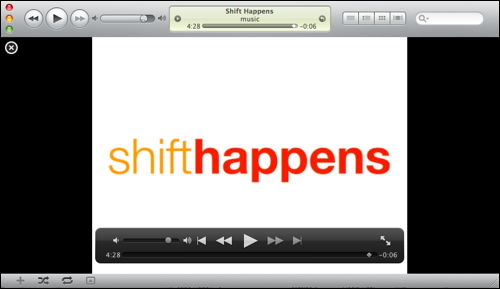
Shift Happens offers plenty of provocations through the use of statistics and reflects on where the world and technology has been and is heading.

Both presentations have really opened my eyes to maintaining an open mind about new possibilities and that we simply can't afford to make the same mistakes as we did in the last Century. My Head often says if we carry on doing the same things as we did yesterday, we can expect the same outcomes as of yesterday. If we want to do better for our children, we have to change what we do.
We are educating a different generation and this means embracing new technologies rather than immediately disregarding them. However, it doesn't mean building a curriculum around the technology, but instead use it to enhance and add value to teaching and learning.
For me, probably the most significant aspect of the Shift Happens movie is this statement:
"We are currently preparing our students for jobs that don't yet exist... using technologies that haven't been invented... to solve problems we don't even know are problems yet."
It just shows how open minded we need to be if we are to prepare our children properly for tomorrow's world. Learning knowledge, key facts and figures won't help the children of tomorrow, yet to give them skills to find out information for themselves, contribute their own understanding and challenge one another are much higher order skills.
What this means in reality is give pupils opportunities to be creative, to make decisions, problem solve, debate, discuss, be inventive and above all else, be themselves. If we allow them to develop their own uniqueness, this is what will set them apart from the rest of the world.
What are your thoughts?
I'm a geek and proud of it, although sometimes there never seems to be enough time to 'play' as much as I would like. This past week, well, it's been almost two weeks, (but who's counting?) has been pretty much full of geekiness. I love tinkering around 'under the hood' and rolling up my sleeves. I'm quite enjoy being the mechanic or the oily rag and I suppose on reflection, it's the challenge of working through technical problems and learning about the solutions that I seem to revel in the most.
It started last week, during my half term break when I headed down to Brighton to upgrade two servers to Mac OS X Leopard Server from a previous Tiger installation. Both servers are now running on Xserve hardware. The Leopard installations didn't quite go according to plan with quite a few unexpected problems. One being the migration (or lack of) of the web services settings from one platform to another. Exporting and Importing settings from a earlier Server release to the latest one (migration) didn't work and so I was left with a very long night ahead, adding the web services data manually and the numerous sites that each machine hosted.
Having got the web services running, I then discovered several pieces of software requiring the GD library in PHP were broken. The standard build of PHP (5.2.4) that comes with Leopard Server doesn't come compiled with GD Library. This meant that I had to re-compile PHP with the GD libraries installed.
I've installed a PHP server monitoring application on another Leopard (client) computer to alert me of any unexpected downtime of either Xserve. I had to enable Postfix using MailServe because this isn't something that is enabled by default.
Leopard Server also requires a realm to be created to enable permissions for users accessing iPHPCalendar using WebDav.
It's been a week of being knee deep in httpd.conf files, MySQL databases and tables, crontabs, and Terminal commands.
These pages helped lots too:
Tiger to Leopard Server Migration, Part One
Tiger to Leopard Server Migration, Part Two
Having just written about mobile blogging and two online software solutions that I've been using successfully, here's another one, Twitxr.com. I saw this published on Tom Smith's blog, and thought I'd have a play too.
Jonathan's Moblog on Twitxr
From Tom's site, this then led me towards another moblogging site. This one slightly (!) more funky than any of the others I've seen so far. I really love the immediate sense of community and audience that my blog posts now have. The community 'feel' is something Blogger.com doesn't do particularly well.
I carry a little folded up piece of paper in my wallet of the London Underground tube map to help me find my way around the Tube network. It's also helpful to have a map to refer to when there are delays and cancellations on the tube network, and that's more usual than not - or maybe it just seems that way.
I found an underground map for the Apple iPhone, which has been specifically designed for the iPhone's screen size. A single jpg image doesn't work because when the image is optimised for the iPhone, the size and quality of the image is reduced, meaning station names can't be read.

How to use and install on the Apple iPhone
- Download the underground tube network files from this site.
- Import the archive contents into iPhoto.
- Create a new album called something you can remember, such as "Underground" and drag the photos into the folder
- Set your iPhone to sync with that album via iTunes.
- Navigate to your Photos on the iPhone and the album name you created. Simply scroll between each section of the tube network map.
I've also installed a WebApp which shows the current status of the Underground Network.

I've been running a mobile blog site for a long time now (since 2006), and although my main blog has been rather quiet over the past few weeks, I've found time to reflect on some recent activities using my new iPhone. In the past, I have used the Sony Ericsson software on the handset to send photos captured by the mobile phone's camera straight to a Blogger.com site.
Clearly this software wasn't available on the iPhone, but as with all sites that have a programmable API, there are plenty of other routes for creating blogs, many of them not new of course. Email to webpage technology allows web content to be authored within an email client and then published by sending an email which is read by the server and published. It's a really neat solution and although it has been around for at least the last 6 years it hasn't, for me, had a use until now.
The iPhone has a great web browser, and handles forms really well, so it's great for posting to any website. However, it won't allow you to upload photos because of the restrictions to being able to access the file system (with the exception of hacked iPhones.) The iPhone also has a great email client, which overcomes the problem of uploading images to a blog site.

Using Blogger.com's email to blog option, I can take pictures on the iPhone, choose the Email Photo option and send it to a private address that only I know about, but one which Blogger.com receives and then publishes as a blog entry. A perfect solution, and quick too. Here are some of my most recent entries, all taken with an iPhone and blogged straight to Blogger.com using Mail.
Of course, it's not just Blogger.com that enables this technology as Flickr does this too, see my iPhone pictures on Flickr, in fact, you can see everyone elses iPhone pictures on Flickr.
Flickr will also publish your photos and accompanying annotation to most popular blog sites, or to any blog that supports xmlrpc, such as WordPress, Drupal, Movable Type.
For those of you who have a TypePad blog, the developers of TypePad have already created an iPhone interface.
At two points in the year, there is huge excitement and anticipation amongst Apple supporters about the latest product launches. Tomorrow, Tuesday 15th January, is one such day and we eagely anticipate the launch of the disk-less, super slim ultra-portable Mac. What other products are released or updated remains to be seen, although the MacBook Pro line are due for a revision anytime soon. Likewise with the iPhone, which has now been out 6 months. Could we be seeing a new revision to this product too?
As always, look out for the Keynote stream and tune in to watch Steve Jobs showcase the latest products at The Macworld 2008 exhibition.

Rettendon Primary School in Essex have just recently begun work on an International project, linking with a small school in Little Cayman. The Little Cayman Education Service community has just four pupils, with a fulltime teacher and learning support assistant.
Pupils at Rettendon Primary School put together a PowerPoint presentation with images and annotation to show what school life is like in the UK. The pupils are looking forward to being able to compare and contrast life in Little Cayman with life in their own school. This is an exciting project which has already seen many great outcomes, from excellent use of ICT, Literacy, Social and management skills to put a presentation together, independently. Well done to all the pupils who participated in making this PowerPoint.
Watch their presentation online. (This is a Flash file, about 25MB in size. Please be patient whilst in downloads and plays in the browser window.) You can interact with the presentation by clicking with the mouse to move it forward.
Alternatively, view the presentation as a QuickTime video file (much smaller at 6MB).
As a school governor responsible for ICT and someone who has initiated this relationship, I was delighted to see the pupils creative skills be put to good use. Check back here to see how the project progresses.
It's been a whole year since the last one, and they get better and better each year. This is the largest Education and Technology show in the UK and is aimed specifically at the schools and Education sector.
It isn't all about software and tools, however. The Learner Voice stand, is the feature stand and includes pupils talking and showing members of the public what learning is like in the 21st Century.
"Technology has brought a host of Learner Voice solutions: texting, photoblogging and podcasting, presenting, voting and more. The Learner Voice feature provides an opportunity for invited school students to showcase their "voice" experiences and for visitors to hear their views on education in the future, and on the technology they use."
Several 'Wise Owls' will also be present, including myself, presenting a 15 minute talk on Stepping Stones School and how the pupils' needs and curriculum is at the very heart of the School. Come by and say hello if you are planning to be there on Saturday.
Stepping Stones School 2007 Advent Calendar
Stepping Stones School has once again produced an Advent Calendar as we count down to Christmas. Last year, Stepping Stones enjoyed a huge following from school children all around the world, and this year, we've bettered that. This year, we are inviting children to submit entries for the advent calendar to be placed behind each day. So far, we have had entries from Scotland, England, New Zealand and the Cayman Islands. If you want to be a part of this calendar, then send me your christmas-y artwork together with the person or group who created the artwork and where you are based. My email address is at the top of this blog site.
Some of you might be interested to see last year's Stepping Stones Advent Calendar.
I've really enjoyed collaborating with the Little Cayman community in the time since I visited them in person two months ago. I had the delight of speaking to Cheyenne, a little girl who attends Spot Bay Primary School on Cayman Brac. Today, and the rest of this week, Cheyenne is learning amongst others in Little Cayman whilst her parents are working on the island, covering the work of the local fire brigade.
I spent some time talking to Cheyenne today, learning more about what she enjoys at school. I asked her about the differences between her school and the little community that she was in today. Soon, Cheyenne will be able to talk to her classmates using the Apple iChat video conferencing technology which is being put into many of the local schools on Cayman Brac right now. This has enormous potential for visiting classmates to immerse themselves within a different classroom environment, yet maintain continuity in their learning by connecting back to their base school.
Read Cheyenne's post on the Little Cayman Blog site.
I couldn't end this blog entry without mentioning the fabulous fire brigade that they have on the island. It consists of just a few men and a whopping Fire Engine, check this out...

Each morning, the fire engine is started up and driven the length of the small runway, and back again to test each component works correctly. The water cannons are also given a blast. To drive one of these definitely featured in one of my boyhood dreams, no doubt in most others too!

The past week has been pretty tiring, but incredibly worthwhile and satisfying. It began with very clear objectives to build a link between the little learning community on Little Cayman and Stepping Stones School in the UK. Both schools, although small, are fantastic places for pupils to learn. The school on Little Cayman has four pupils aged between 4 and 10, and although the age spread is somewhat different, Stepping Stones School has a similar number of pupils - seven!
Small learning communities work really well, but in order to thrive, the pupils need to experience a much greater social network or youngsters - something that both learning communities have in common. The obvious answer is to bring the two together using video technology, provided wholly through iChat AV on the Apple Macintosh. The photograph above shows the quality of the video as we broadcast live across the Atlantic.
Video conferencing is not a new technology, in fact it's been around for several years - so people might ask, what's the big deal? Well, quite a lot, actually - and some of it isn't immediately obvious, though it is common sense.
Video conferencing technology, in the main, tends to be professional, specialised equipment which is positioned in a particular room, connected in one location. It often requires the need for a technician to set it up - line test the call - perhaps even around the routing with prior arrangement from the network's hosting company. In this project, we are using technology which puts this capability into the hands of the learners, empowering them to be in control of their connections to the outside world.
Each child has a state-of-the-art laptop computer, connected to a wireless 3Mbit Internet connection. They use Mac OS X and iChat to build a buddy list of learners in other locations. They use this to initiate video connections on an adhoc basis.

Arrowe on Little Cayman is talking to Dominic about the music he is making using GarageBand. Dominic is a bit of an expert when it comes to writing music, compared to Arrowe where this is his first time. Wouldn't it be ever so special for Dominic to pass on his wisdom and understanding to Arrowe? Well... that's exactly what happened. The age difference between the two communities of learners means that the older pupils can become role models, advocates or mentors for the younger pupils. We naturally create an environment where the younger pupils chase the role models of the older pupils and perhaps develop in thought and maturity much faster. Who knows, but it will be very exciting to watch as this project progresses over the coming months.
I've had a truly wonderful time here on the island. The pupils, both here and in Stepping Stones School have been amazing and my thanks and best wishes go to them all. I was so encouraged on my first day to hear the class teacher, Miss Veronica, suggest this technology as a strategy for joining up the schools on the sister islands, Grand Cayman and Cayman Brac - it shows an insightful understanding for this new medium which hasn't, I don't think, been fully explored beyond simply making connections.
If you are interested in learning more about this project, here are some links to other sites describing what is taking place.
Building Cayman's Future: Technology enhances Teaching and Learning
Stepping Stones School: International project goes live as pupils video conference to a school in Little Cayman
Also, please don't hesitate to contact me or book a place at the Be Very Afraid event in London, at BAFTA on 22nd October 2007. Contact Lys, lys@heppell.net for more information.
I woke this morning to a power cut which, interestingly enough, is not that unusual to form a surprise. Although perhaps slightly frightening when you consider we are in the 21st Century.
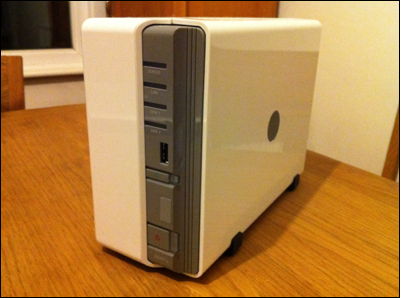
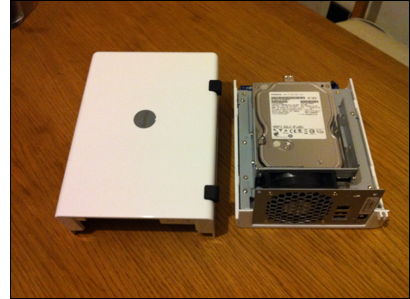
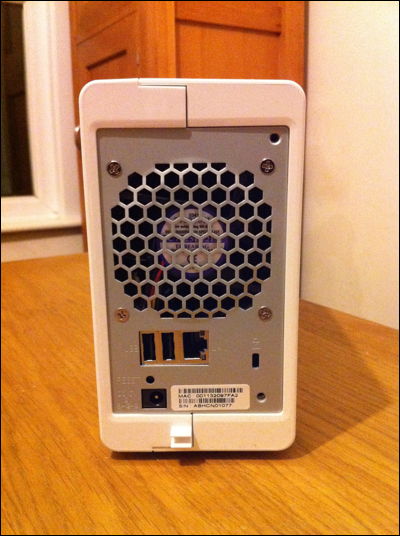
Something about the supply of power in my home town is unreliable. Over the last few years I've bought UPS power supply systems to keep vital equipment running in the event of a power cut - essentially the cable modem, wireless router, home server, and network attached storage device. I really hate systems not shutting down gracefully.
Anyway, so here I still am, writing this blog article, no longer waiting for the power to resume as I can continue quite happily without, for a few hours at least.
With the iPhone just around the corner, another iPhone announcement September 18th maybe - I got to play with the latest offering from Sony Ericsson, the P1i which replaces the brick-like P900i device.
It was fast, responsive and had a beautifully crisp and sharp display. Sony has kept with it's trademark menu - consistent across all Sony Ericsson's and this made using the device really easy. The web browser was also much the same - the larger screen made it much much more useful, but it isn't a fully featured browser as per the iPhone. This means that some pages don't render particularly well and navigating around them is somewhat tricky.
The phone has a 3 mega-pixel camera - as you might expect and quality of these images were staggeringly good. It has the same resolution as my old Canon IXUS camera, bought 4 years ago which I still used until quite recently. One of the REALLY cool features of the phone was the use of the camera for 'scanning' in business cards. Neat software on the phone is able to read the card information and convert telephone numbers, addresses and names and automatically insert the contact information into the phone and does this with accuracy too.
Gary, the owner of this new toy, wanted to connect the phone to his Mac computer - as with the very latest phones, the Mac doesn't have the plugin that allows iSync to make a connection. However, with a bit of trawling on the Internet, I found that the Sony Ericsson site have published the plugin. This must be a new service since I've always had to find the plugins from 3rd party people.
You can download the latest version (1.07) from here:
Download SonyEricsson P1i iSync Plugin Version_1.07.zip
I was fortunate enough to attend Apple's Special Event at the BBC in London this evening. Steve Jobs was speaking live from San Francisco, at the Moscone Center via a video link to the BBC Television Centre.
Approximately 300 guests were invited by Apple to attend the launch of the new iPod product line. The new iPod touch was the centre of attention of course, which is a shame since lots of development work has also been paid to the current and revised iPod family.
I suppose there could be very little that could distract ones attention from the web enabled iPod touch which is based on the same design as the iPhone. Same physical dimensions, apart from the iPod touch being only 8mm thick compared to the 11.5mm thick iPhone.
In a sense, watching video and music being played on the device wasn't too dissimilar from what we have seen the iPhone capable of doing - though that product has yet to make it to UK waters. I loved the addition of the YouTube application however, again much like the app available on the iPhone.
The key delight for me was learning that the device now has built in WiFi which transforms the possibilities of the device enormously. Steve concentrated largely on the fact it can hook up to the net to download songs from the iTunes WiFI Store via the custom built application. However, it was the inclusion of the Safari web browser that really captured my interest. I love listening to music and following lyrics, or even discovering the background to the artists inspiration for the music.
After having a play with the device during 'play' session after the Special Event had finished, I started to yearn for wanting a camera as an input device, which would immediately become a really sexy tool for creating a portfolio of learning. Maybe that feature might come in time or perhaps a 3rd Party developer might get there first.
Whatever, the iPod touch is a really really cool piece of kit. Some might say it's available now so we can play with the gorgeous touch screen technology whilst we wait for the iPhone's launch later this year - others, like me, can see a whole new application for this technology.
For anyone who was there, they will also have noticed the draw of breath as Steve's customary "one more thing" moment was superseded by an announcement that Apple's iPhone will now only be sold in one flavour - the 8Gb model which is now going to retail not at $599 but at $399. Amazing! That's a $200 saving for new buyers from today! The iPhone now enters the realms of 'bargain' rather than the must have device for the wealthy.
One thing is to watch the Apple Special Events as a web stream at home, it's quite another to be part of the atmosphere as products launch. What a hoot. The biggest laugh went to Steve's quip at NBC, who recently announced they were withdrawing their TV shows from the iTunes Store. Steve was demoing the new Ringtones feature in iTunes and chose the track by John Lennon "Give Peace a Chance" when NBC call...
Anyway, go look at the new iPod family for yourself...
The latest release of Google Earth now incorporates constellations. Sitting here in the Southern hemisphere, I tried to orientate my view of the Northern Hemisphere sky within the new Google Earth application, as it would be seen in Essex, UK. No doubt my friend, Colin, will set me straight. I should know all this stuff of course, after 20 years in the Scouting movement. It is a well established fact, that any Scout passing through Orion Troop simply couldn't have avoided cold winter evenings gazing up at the sky looking for the constellations of Ursa Major, Ursa Minor, Cassiopeia, Canis Major, Orion and a few more besides. All this was important because we learnt how to find Polaris, the Pole star, and therefore how to find North at night. Handy stuff to know when on a 15km night hike.
Download the latest version of Google Earth here, and explore the galaxy for yourself.

Here is what I should be seeing from New Zealand this evening.

After a few months of trying to get a broken hard disk to work, I was pretty much set on taking the drive apart to investigate the problem. The drive failed to spin up yet I could hear all the right noises from the motor. I tried gently tapping the unit and applying burst of power but to no avail.
I had heard that putting things in freezers solves all sorts of problems, like smelly trainers, and restoring computer laptop batteries, and maybe, hard disks, but I couldn't remember.
Anyway, I popped the bare drive into the freezer and gave it an hour or two to chill. It was pretty cold when it came out... and worried a little bit about the moisture on the circuit board and the potential for short circuits. Thinking I had little to lose, and in my usual hurried style, I just plugged it in to a spare IDE --> USB interface and bingo! - the drive sprung to life.
Now that the drive is spinning, I have been able to read all the data from it. However, I am sure it's not repaired and so it is time to retire the drive. R.I.P and thank you.
A recent blog post by Tom Smith, The social software confidence trick and Facebook gave me impetus to comment on my recent experiences with the social software tool.
Ever since MySpace, who were one of the first biggest public social networking sites, I had tried my hardest not to subscribe and be subsumed into the culture of building yet another online presence. Then I was invited to Bebo by a few friends, which instantly becomes that little bit more seductive and much harder to ignore. One the of best features is the ability to send messages with a little doodle sketch pad - nice. Already, Bebo was offering something that was new, something that email programs 15 years on, don't do.

Cracker Sailors Unite group in Facebook
Facebook has already achieved much of what has gone before (sadly there isn't a sketch pad built into messaging yet!) and does the joining-up of people incredibly well. It's actually quite addictive. Why is that? Something Facebook does better than anything else I've seen, is allow you to take complete ownership of what you are building, and I don't just mean your "profile" page. You can build your own social networking groups and other people can search for them and join them. There are quite creative groups out there. Even as a member of a group, you can contribute openly with other members - the permissions model is almost hidden, I don't hit areas that I'm barred to enter, simply because they aren't immediately obvious where those places are. I haven't played much with Facebook applications, other than the photo sharing tools, but it's clear, the creators of Facebook have intentions of plugging in a whole host of joined-up tools.
Tom asks "Is Facebook the last mashup?"
I'm pretty confident it isn't and other tools will come and supersede what has already been achieved. However, you might say that Facebook has led the way on creating a user experience much more seductive and delightful than anything else currently available.
It has been widely regarded that there has been a deep rooted antagonistic falling out between Bill Gates and Steve Jobs for some years, which is mostly related to the competition between them at Microsoft and Apple. Interestingly enough, the interview (which can be downloaded and watched as a podcast in iTunes) presents a more harmonious relationship that has emerged fairly recently.
Steve Jobs refers to his relationship with Bill Gates to a lyric in a Beatles song:
"You and I have memories longer than the road that stretches out ahead."
Several excellent points were made in the interview, and both were asked quite soul searching questions about each other and themselves, which spoke volumes about their individual characters. Staggering really to get such open and honest responses, as the interviewers were quite poor at conducting the live interview on stage in front of several hundred people.
What was quite striking in the interview was Steve Jobs' understanding about people and what people want in a product, and Bill Gates' very geeky, technical detailed responses which didn't give much thought to what people actually wanted. For me, it kinda summed up the differences between Apple and Microsoft products.
The single most significant aspect about the whole interview, was Steve Jobs' reflection on what it takes to make a successful business. Steve was able to put into words what I'd been trying to explain to others for most of my working life.
Click on the image below to play the movie.
You need the latest version of QuickTime to watch this clip.
We often consider using video conferencing technology in schools and colleges for connecting people together, people who aren't usually part of the organisation, such as another school or class of students, an expert or scientist for example.
Here at Stepping Stones we using video conferencing technologies to include students who aren't able to physically attend the school. There might be several reasons for this, an illness or the student has had an appointment to see a consultant or specialist and isn't sensible for the student to return to school.
We are now well accustomed to allowing pupils to participate in lessons and activities, from a distance. This week, Dom has been struck down with Chicken Pox, which although the contagious condition doesn't affect his ability to work, does mean he can't attend the school. We've been working closely with Dom throughout this week and he's adapted very well to learning from home and being separate from the others. Other pupils here, often find attending the school 5 days a week incredibly tiring. It means that on occasions, they can still participate in lessons whilst learning from home.
This isn't a common function of a school, but one which makes lots of sense.
We use a peer to peer Instant Messaging network such as AIM and .Mac, using the application iChat in Mac OS X to enable video, text and audio messaging.
Two of our pupils have opted to learn French as a language here at Stepping Stones School. Initially, we are exploring the use of online tools, such as Podcasts as a resource for giving some initial support.
This is a small school, 5 pupils on roll. We believe in providing the very best learning opportunities for our pupils and employ several specialist teachers in Maths, Science, English, ICT, History, Childcare besides other subjects. In time, I am sure we will have specialist language teachers too, but initially, I believe pupils can develop their language skills with facilitated help and a strong resource base.
Below are two pupils working with a podcast, available from the Apple iTunes music store, called French for Beginners by The French Ecole.
They can listen to the French transcript and explanation of French vocabulary and dialogue and refer to a supplied PDF sheet which comes as part of the podcast subscription.
|